AI SAT Tutor: How to Use One Without Letting It Think for You
An AI SAT tutor helps most right after you answer a practice question. It can explain why the right answer works and where your reasoning went off, and it can answer the follow-up questions a written explanation leaves open. It can also be wrong, so read what it says as a second explanation to check against the answer key. The habits below keep the problem solving on your side. The last part of this guide covers how the AI Tutor in NextGen AI Digital SAT Prep works, what it sends and what it costs.
What an AI tutor does well
A written explanation is the same for every student. A tutor can answer the question you actually have:
- Why your answer is wrong. You can ask "why not B?" and get a reply about B, which an explanation of the correct choice may never mention.
- A step you can't follow. If one line of an algebra solution makes no sense, you can ask where it came from, or ask for a smaller example or another method.
- Where the evidence is. In Reading and Writing, it can point you to the sentence in the passage that supports the answer, so you can read it for yourself.
- Late questions. It answers at 11 p.m. the night before a practice test, when you can't ask a teacher.
What it can't do
It can be wrong. AI models slip on arithmetic, misread passages and sometimes argue for a wrong answer in a calm, convincing voice. How sure it sounds tells you nothing about whether it is right.
It can't do the learning for you. A clear explanation feels like understanding while you read it. Whether you can solve the next question of the same kind on your own is the real check.
It won't be with you on test day. Every question on the SAT is yours to solve, so each practice cycle should end with you working alone.
Full practice tests still matter. The College Board's Bluebook app has free, full-length practice tests, and Khan Academy has free lessons and quizzes. Use full tests to measure where you stand, and a tutor to understand the questions you missed.
How to use an AI tutor well
- Answer first, then ask. Pick an answer before you ask for help, even when you are unsure. A committed answer shows exactly where your reasoning slipped, and the explanation has something to correct.
- Say what you thought. "I picked C because the passage says the results were mixed" gets a far more useful reply than "explain this." The tutor can then deal with your mistake instead of repeating the explanation you already read.
- Ask for a hint before the full answer. When you are close, ask what to look at first, then try again yourself.
- Check its reasoning against the answer key. Compare what the tutor says with the correct answer and the question's written explanation. If they disagree, ask it to point to the step where they split. If you still can't tell which is right, mark the question and ask a teacher.
- Re-solve without help. Once the explanation clicks, close the chat and work the question again from the start, or try a similar one. If you get stuck in the same place, you haven't learned it yet.
- Log the miss. Write down the skill, why you missed it and the fix, as in the mistake log from our SAT study plan.
A simple rule covers all six: the tutor explains, and you solve. If you notice you are pasting questions in before trying them, you are practicing reading explanations, and the SAT asks for something else, which is answering questions on your own against a clock.
How our AI Tutor works
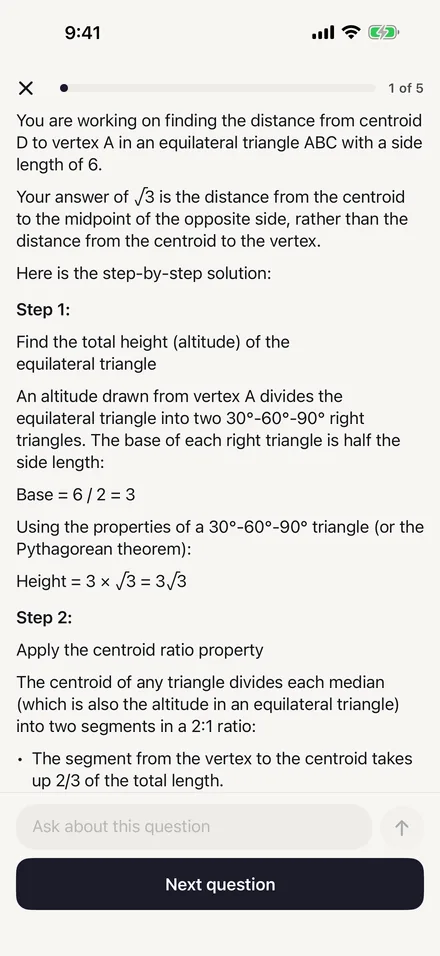
NextGen AI Digital SAT Prep has 6,000+ SAT-style questions in Math and Reading and Writing, and every question has a written explanation. The AI Tutor is for the follow-up questions after that explanation.
In a practice session, the button to ask the AI Tutor appears only after you answer. The tutor then starts with the question, its passage, the answer choices, the answer you picked, the correct answer and whether you got it right, so you don't retype anything, and you can keep asking follow-up questions. You can also ask it about an SAT topic in general.
It stays on SAT topics. A message about something else gets a short reply written by the app that steers back to studying, and that reply makes no AI call and does not use one of your free messages. If you ask about calculus, it explains that the Digital SAT does not test calculus and offers the closest SAT skill instead. The College Board lists four Math areas: Algebra, Advanced Math, Problem-Solving and Data Analysis, and Geometry and Trigonometry. Our SAT Math topics guide covers each one.
If a student writes about self-harm, abuse or danger, the app shows crisis resources such as the 988 Lifeline on the device instead of sending the message to the AI.
The app also says plainly that AI answers can contain mistakes and that you should check anything important with a teacher. The questions, explanations and flashcards are stored in the app, but the AI Tutor needs an internet connection.
What it sends, and to whom
The AI Tutor uses Google Gemini, with Anthropic Claude as a backup. Requests go through our own server, which runs on Cloudflare and does not store what you ask the AI. Your name, email address and device identifier are not included.
Before the tutor sends anything of yours for the first time, the app asks your permission. If you choose Not now, nothing is sent, and practice questions, flashcards and practice tests keep working. You can turn sharing off in the app's Settings at any time. Our privacy policy lists what each AI feature sends.
What it costs
| Free | Premium | |
|---|---|---|
| AI messages | 3 a day, shared by the AI Tutor and the AI College Counselor | No daily cap; fair use applies, and AI help can pause when demand is very high |
| Price | Free to download | $12.99 a month or $79.99 a year |
Free messages reset at midnight, your device's local time. Both Premium plans come with a 7-day free trial if your Apple Account is eligible. The prices are for the U.S. App Store, and prices in other countries differ. With 3 free messages a day, spend them on the questions you missed and couldn't fix from the written explanation. Pricing compares Free and Premium in full, and the FAQ answers more questions about the AI features.
Sources
All pages read on November 7, 2026.
- SAT Suite Practice and Preparation, College Board
- The Math Section: Overview, College Board
Start with five questions.
Download the app free, answer five questions, and read why each answer is right. Premium is there when you want more.